
物联网实战|mqtt入口网关|HAProxy模拟负载
HAProxy
HAProxy 是一款高性能、开源、TCP/HTTP 四层 & 七层反向代理负载均衡软件,由 Willy Tarreau 开发,主打高并发、低延迟、高稳定性,广泛用于 Web、MySQL、Redis、API 集群负载均衡,是中小型集群、云原生最常用负载均衡方案
相比nginx
Nginx
七层为主、四层为辅,Web 服务器 + 反向代理 + 负载均衡,侧重静态资源、Web 服务、动静分离
- 原生强项:HTTP/HTTPS、静态文件缓存、压缩、Rewrite、防盗链、虚拟主机
- 四层 TCP 代理是附加功能,性能、并发、健康检查弱于 HAProxy
HAProxy
专业四层 + 七层负载均衡器,只做流量转发,不处理静态文件
- 原生强项:海量并发 TCP 连接、复杂健康检查、高性能四层转发、集群负载调度
- 七层 HTTP 功能够用,但页面处理、缓存、重写生态不如 Nginx
总结
- 做负载均衡、四层 TCP、海量长连接、多节点集群监控 → HAProxy 更强
- 做网站、静态缓存、HTTPS、复杂路由、业务网关二次开发 → Nginx 更强
HAProxy安装和部署(YUM快速安装)
- CentOS/RHEL
yum install haproxy -y
- Ubuntu/Debian
apt install haproxy -y
- 查看版本
haproxy -v
- 配置开机启动
# 开机自启
systemctl enable haproxy
# 启动
systemctl start haproxy
# 停止
systemctl stop haproxy
# 重启(修改配置后必执行)
systemctl restart haproxy
# 查看状态
systemctl status haproxy
# 配置语法校验(修改配置前必检测,避免服务起不来)
haproxy -c -f /etc/haproxy/haproxy.cfg
HAProxy核心配置文件详解
配置分四大块:global → defaults → frontend → backend
- /etc/haproxy/haproxy.cfg
七层HTTP负载均衡
# ====================== 1. 全局配置 global ======================
global
    log         /dev/log    local0 info
    log         /dev/log    local0 notice
    chroot      /var/lib/haproxy
    pidfile     /var/run/haproxy.pid
    maxconn     40000        # 全局最大并发连接
    user        haproxy
    group       haproxy
    daemon                   # 后台守护进程运行
    stats socket /var/lib/haproxy/stats level admin  # 本地管理sock

# ====================== 2. 默认模板 defaults ======================
defaults
    mode                    http       # 七层http,四层改为 tcp
    log                     global
    option                  httplog    # 打印完整http日志
    option                  dontlognull
    option                  http-server-close
    option                  forwardfor # 传递真实客户端IP X-Forwarded-For
    option                  redispatch
    retries                 3          # 失败重试3次
    timeout connect         10s
    timeout client          30s
    timeout server          30s

# ====================== 3. 前端 frontend 接收用户请求 ======================
frontend http_front
    bind *:80                     # 监听本机80端口
    default_backend http_back     # 默认转发到后端集群
    # 监控页面配置 访问 http://服务器IP/haproxy-stats
    stats enable
    stats uri /haproxy-stats
    stats auth admin:123456       # 监控账号密码
    stats refresh 5s

# ====================== 4. 后端 backend 真实业务节点 ======================
backend http_back
    balance roundrobin            # 负载算法:轮询
    # 健康检查:每隔2秒探测,连续3次down标记故障,2次恢复上线
    server web01 192.168.1.10:80 check inter 2000 fall 3 rise 2 weight 1
    server web02 192.168.1.11:80 check inter 2000 fall 3 rise 2 weight 1
四层TCP代理示例
global
    maxconn 50000
    user haproxy
    group haproxy
    daemon

defaults
    mode tcp
    timeout connect 10s
    timeout client 60s
    timeout server 60s

# MySQL四层TCP代理
listen mysql_tcp_proxy
    bind *:3307
    balance leastconn
    server db-node1 192.168.0.20:3306 check inter 3000 fall 2 rise 2
    server db-node2 192.168.0.20:3306 check inter 3000 fall 2 rise 2

# 监控面板单独配置完整http参数,解决503
listen haproxy_stats
    bind *:8081
    mode http
    timeout connect 5s
    timeout client 30s
    timeout server 30s
    stats enable
    stats uri /stats
    stats auth admin:123456
    stats refresh 5s
针对四层
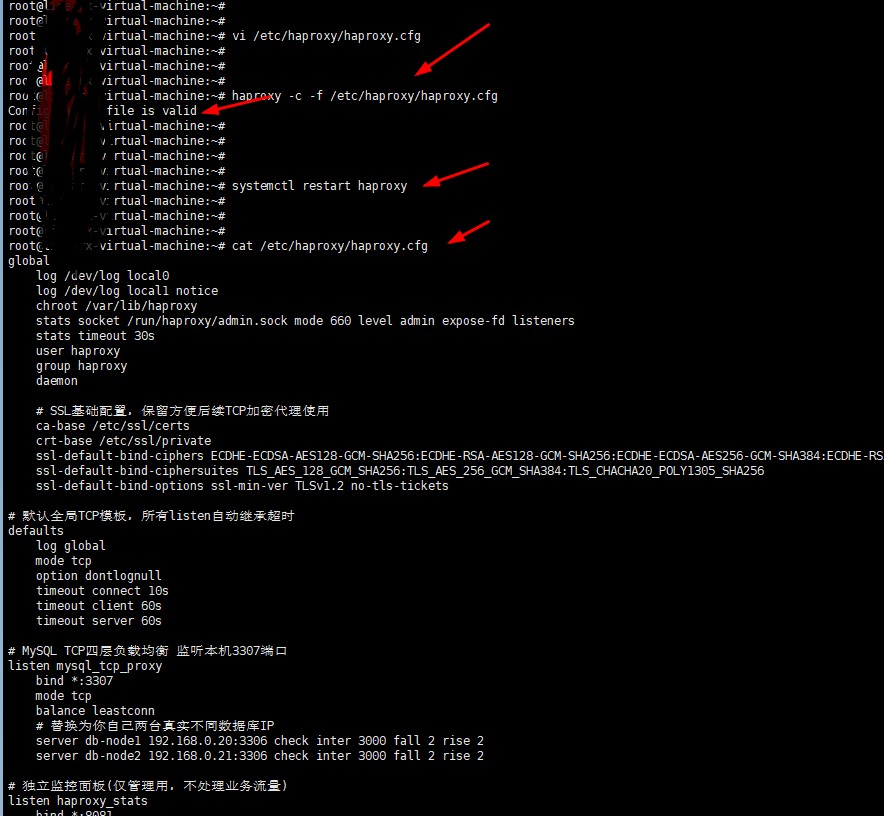
- 将上面四层tcp配置直接复制
- haproxy -c -f /etc/haproxy/haproxy.cfg
- systemctl restart haproxy
验证访问
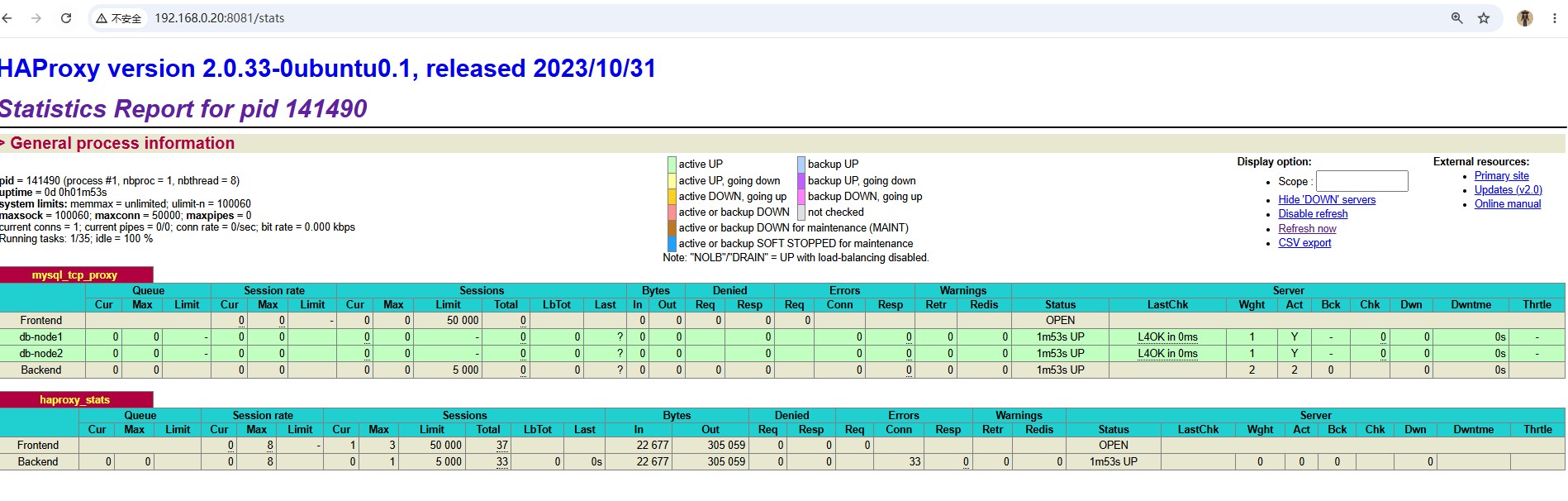
- http://192.168.0.20:8081/stats (默认admin/123456)
HAProxy配置mqtt端口
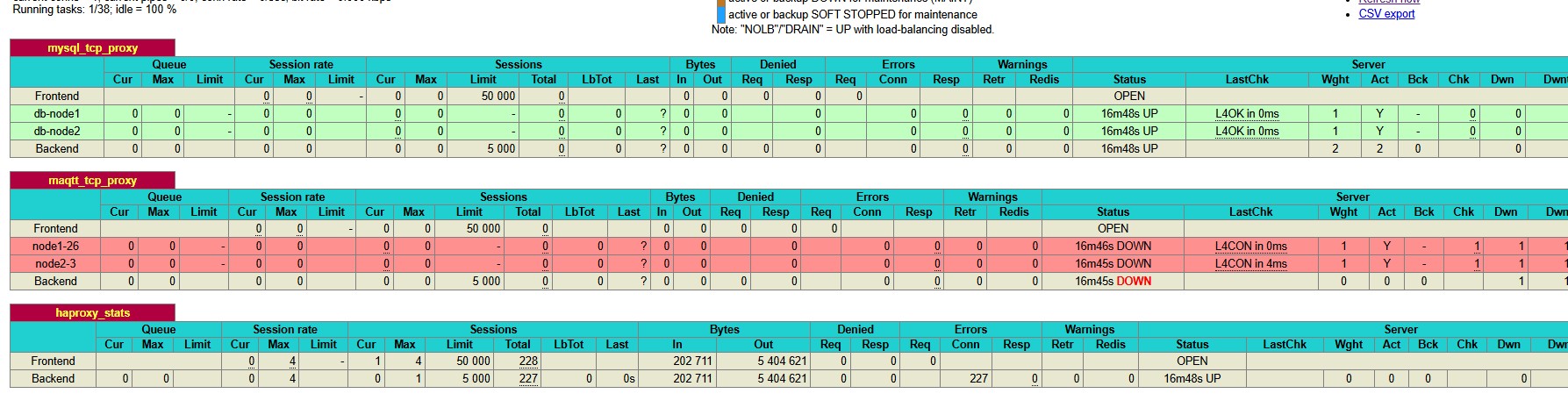
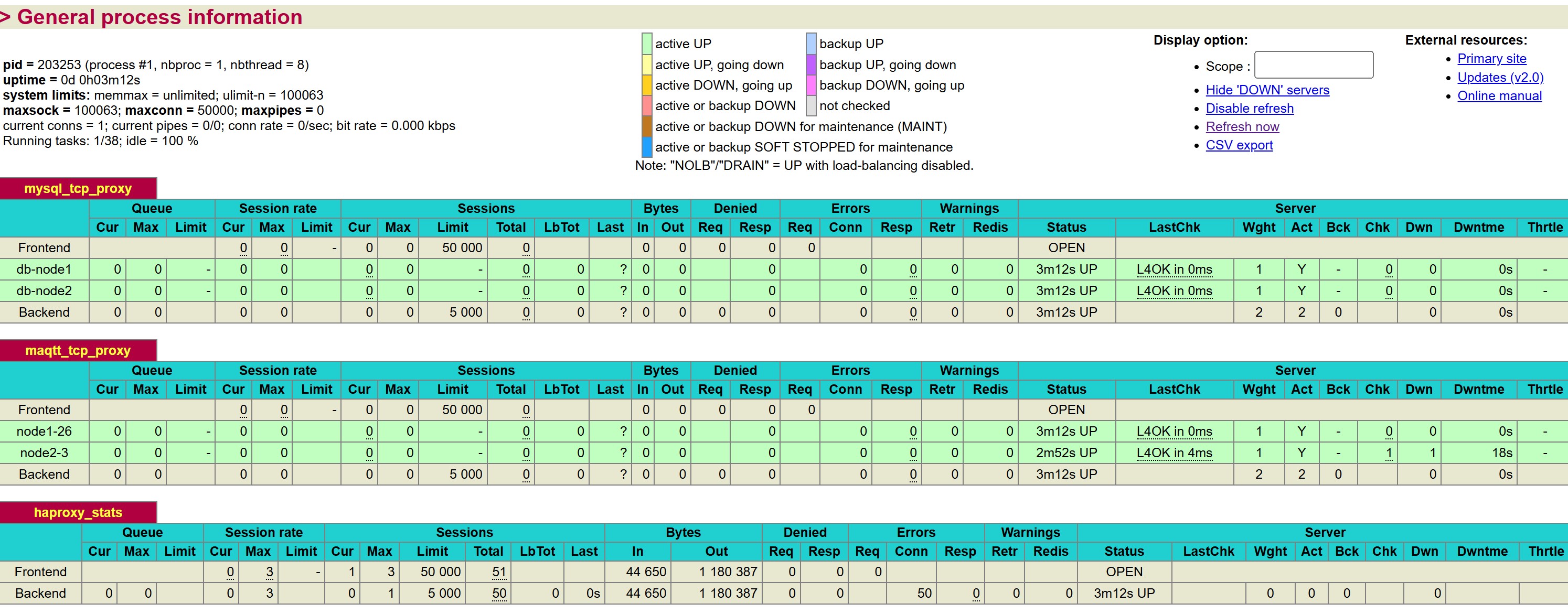
# mqtt 四层TCP代理
listen maqtt_tcp_proxy
    bind *:1889
    balance leastconn
    server node1-26 192.168.0.26:1889 check inter 3000 fall 2 rise 2
    server node2-3 192.168.0.3:1889 check inter 3000 fall 2 rise 2
HAProxy负载规则
- balance leastconn 最少连接
- roundrobin 轮询系统默认
- source 源IP哈希 同一个客户端IP永远固定分到同一台后端
- uri/url_param 按请求 URL 哈希,TCP 模式不生效
测试案例,绑定ip后端挂了重启,可以自动切换
listen mqtt_tcp_proxy
    bind *:1889
    balance source
    hash-type consistent
    stick-table type ip size 200k expire 300s  # 5分钟过期
    stick on src
    server node1-26 192.168.0.26:1889 check inter 5000 fall 3 rise 2
    server node2-3 192.168.0.3:1889 check inter 5000 fall 3 rise 2